The first image export is usually the tidy one. A month later, there are retouched copies, a new supplier SKU, and a folder called “latest” that nobody quite trusts.
This guide is about keeping the library usable after downloading. If you still need to create the files, start with downloading product images by SKU. For choosing an export filename, use the file naming guide.
Keep the source export intact
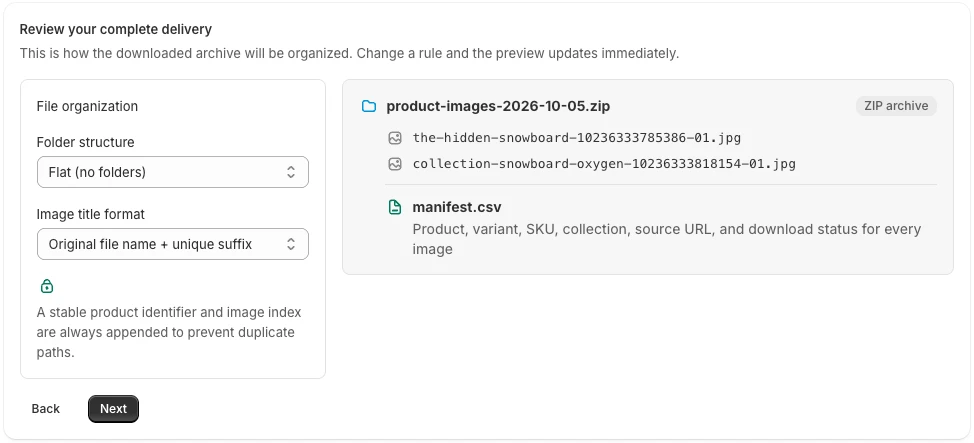
Save the downloaded ZIP and its manifest as an unedited snapshot. Put the export date and a short scope note alongside it: which collection, any excluded products, and whether you selected main images only.
Work from an extracted copy. When a designer edits a photo, save the result separately. That gives you somewhere reliable to return when an image is cropped too tightly or the wrong color treatment is applied.
A small library might use this structure:
product-photography/
  source-exports/
    2026-09-14-autumn/
      product-images-2026-09-14.zip
      scope.txt
  working/
    autumn-campaign/
  approved/
    autumn-campaign/
  asset-index.csv
These are folders you create after downloading, not extra folders the exporter automatically adds.
Use IDs to connect the records
A SKU is useful for searching. It is less useful as the only permanent reference: a supplier change or catalog cleanup can make an older SKU obsolete.
Keep the Shopify product ID and media ID from the export manifest in your working index. Add the current SKU as a searchable field rather than overwriting the original export record.
For example, your own index could have:
| Field | Why keep it |
|---|---|
| Source product and media IDs | Connect the asset to the original export |
| SKU at export / current SKU | Find it before and after a catalog change |
| Source file / approved file | Trace an edited image back to the downloaded copy |
| Intended use | Separate a product-page photo from a campaign crop |
| Approval date | Identify the version the team agreed to use |
The additional columns belong to your library workflow. They are not all fields supplied by PlainKits.
Keep shared imagery shared
A lifestyle photo may serve several sizes or colors. Do not force it into one exclusive SKU folder if that would mislead the next person.
Keep one source asset and record its intended associations in your index. If a channel needs separate copies for individual SKUs, create those in a delivery folder. This keeps channel-specific naming requirements out of your source archive.
Also distinguish between an image's recorded variant association and your team's intended use. Neither a filename nor a single manifest row describes every possible use of a shared photo.
Give edited copies a clear status
“Final” becomes ambiguous quickly. Use separate working and approved locations, and include a purpose or revision in edited filenames when needed. A web crop and a print treatment should not overwrite each other.
When approving a replacement, update the index and move the previous approved file into a clearly marked older-version folder. Keep it recoverable until the relevant campaign or catalog change is settled.
For a live project, include the delivery requirements in a brief. The designer handoff checklist covers that part of the process.
Reconcile the next export
Compare the next snapshot with the previous one using product and media identifiers, then review changed or missing files. An image missing from a new export might reflect a filter or download failure, not an intentional deletion from the store.
Avoid merging a new ZIP directly into the approved folder. First check its scope and download results, then decide which assets should replace your working copies.
PlainKits Image Export gives you the files and source mapping to start this process. Approval status, version history, and ongoing library organization remain part of your team's workflow.
If you are still collecting the source images, start with the Shopify product image export guide, then apply this SKU organization checklist to the files you keep.